Download one link online
Best for public or externally accessible t.me message links. Paste the link first and check whether downloadable media is reachable.
Use the online downloaderSave media from public or private channels, groups and chats with a browser extension that works in your signed-in Telegram Web session.
Telegram content is not always accessible in the same way. Decide whether you need one public link, media in your current signed-in session, or a complete group history you can search and manage over time.
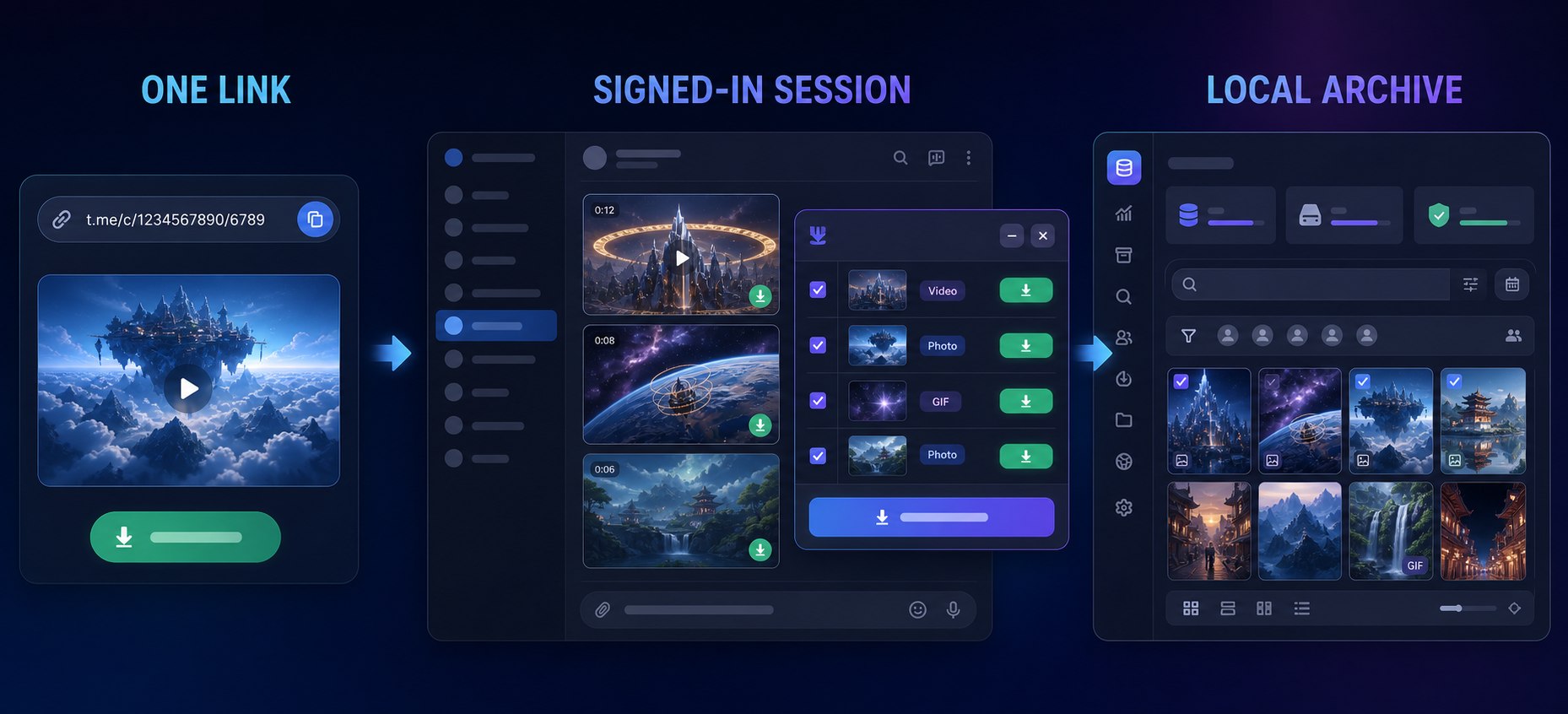
Best for public or externally accessible t.me message links. Paste the link first and check whether downloadable media is reachable.
Use the online downloaderBest when you can already view the video, image, audio or file in Telegram Web but an online tool cannot access it directly.
View the browser extensionTG Chat History Manager is designed for long-term retention: synchronize accessible conversations, search members and content, then categorize, favorite and browse downloaded videos.
Explore and reserve the softwareDetect and save loaded media in Telegram web sessions that I have logged in to and have been granted access to
Dedicated extension for Chrome browser to capture Telegram media content with one click
Download ExtensionInstall through the official Edge extension portal to detect loaded media in the current Telegram web session
Download ExtensionDedicated extension for Firefox browser, easily get Telegram media files
Download ExtensionThe plugin should only handle media that the current Telegram web session has access to and loads; Please verify the store permissions and privacy instructions before installation.
View the browser extension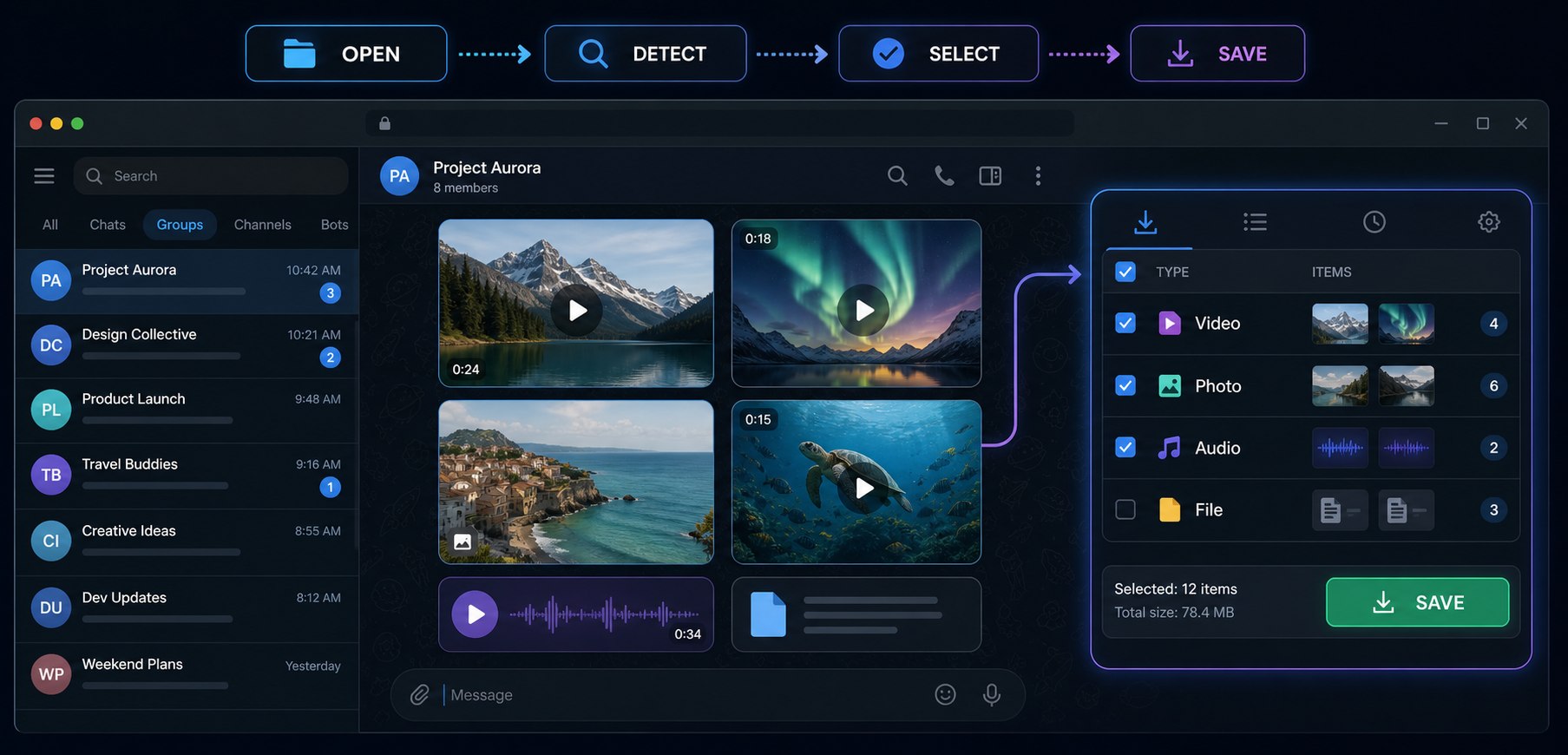

TG Chat History Manager extends one-off downloads into long-term archiving, search and media management. It is still in development; you can review the real preview, roadmap and reserve a release notification.
Powerful features optimized for Telegram content downloading
Save the source media Telegram Web actually loads. Final quality depends on the source file; the tool does not enhance it.
Download audio and voice messages from Telegram
Supports various document formats
Do not require Telegram passwords or verification codes to be submitted to this website; Before installation, check the store permissions and privacy instructions
Easy steps to download Telegram content
Find the media file you want to download in Telegram
Right-click the message and select "Copy Link"
Paste the link into the input box and click Parse
Select format and click the Download button
Copy the link from the specific Telegram message first, and then paste it into the downloader above. Public channel messages can usually be identified through the t.me link; If the link cannot be resolved, you can use a browser plugin in the Telegram web session where you have the right to view the media.
When saving not only the current video, but also the chat records, member speeches, and a large amount of media in the entire group chat, the TG history manager currently under development should be used. It is designed for long-term synchronization, search, classification, and local media management, and does not replace single link downloaders.
The message link is just an address and does not include the membership and login permissions of the account. Browser plugins will not unlock groups that cannot be accessed; It can only recognize media that Telegram has already sent to the current authorized browser session.
The online downloader needs to be able to locate specific messages or media links, and should not repeatedly submit channel homepages, usernames, or invitation links as media links. If I am able to open the chat in a desktop browser, please log in to Telegram Web, scroll to the target message, and open or play the media; After the browser actually loads the file, let the plugin detect the video, image, audio, or document on the current page. Mobile browsers usually cannot install desktop extensions. You can prioritize using Telegram's built-in save function or continue processing on your computer.
| Equipment or target | Recommended method | Reasons and limitations |
|---|---|---|
| Public message link on computer | First, use the online downloader | No installation required; The link must be externally accessible |
| Media that can only be viewed after logging in | Using Chrome or Edge plugins | The media must be loaded by the current authorized session |
| A single video or image on a mobile phone | Prioritize using Telegram's built-in save function | Desktop browser extensions usually cannot be installed on mobile browsers |
| Large scale chat, member and long-term media management | Understand TG History Manager | Still under development; Only retain the actual synchronized or downloaded content |
| Content or task | Online downloader | browser extension | History Manager |
|---|---|---|---|
| Public message link | Prioritize trying | Can handle web loaded media | Not suitable for a single link |
| Private group or private chat | Usually lacks login permissions | Use when the current account is available for viewing | Suitable for long-term session archiving |
| Large groups and a large number of videos | Can only be processed item by item | Suitable for downloading in the current session | Search, filter, categorize, and bookmark |
| Content that has never been synchronized and has been deleted | Irrecoverable | Irrecoverable | Only previously synchronized or downloaded content can be retained |
The downloader cannot generate clarity that Telegram does not provide. The available formats, resolutions, and file sizes depend on the source files actually provided by the current link or Telegram web session. The plugin saves detected media requests without re encoding them through screen recording; This can avoid additional image quality loss, but cannot upgrade low definition source files to high-definition versions. Please refer to the actual information displayed on the interface before downloading.
The online downloader and browser plugin are designed for the current link or session, and are not complete chat backup tools. TG History Manager is designed for long-term synchronization, search, and media organization, but it cannot recover data that has never been synchronized, downloaded, or deleted before synchronization. The software is still under development, and its pages will clearly indicate the current available status and appointment entry.
The actual available types and formats depend on the source files provided by Telegram to the current link or session
Common questions about Telegram downloading