Directly operate next to the media
Open or play the target media first, and wait for Telegram Web to complete loading; The detectable items will have corresponding save entries.
Detect loaded videos, images, audio, and files in Telegram web sessions that you have been granted access to, and save them locally individually or in bulk as needed.
Watch the step-by-step guide to load and save media from a signed-in Telegram Web conversation you are authorized to access.
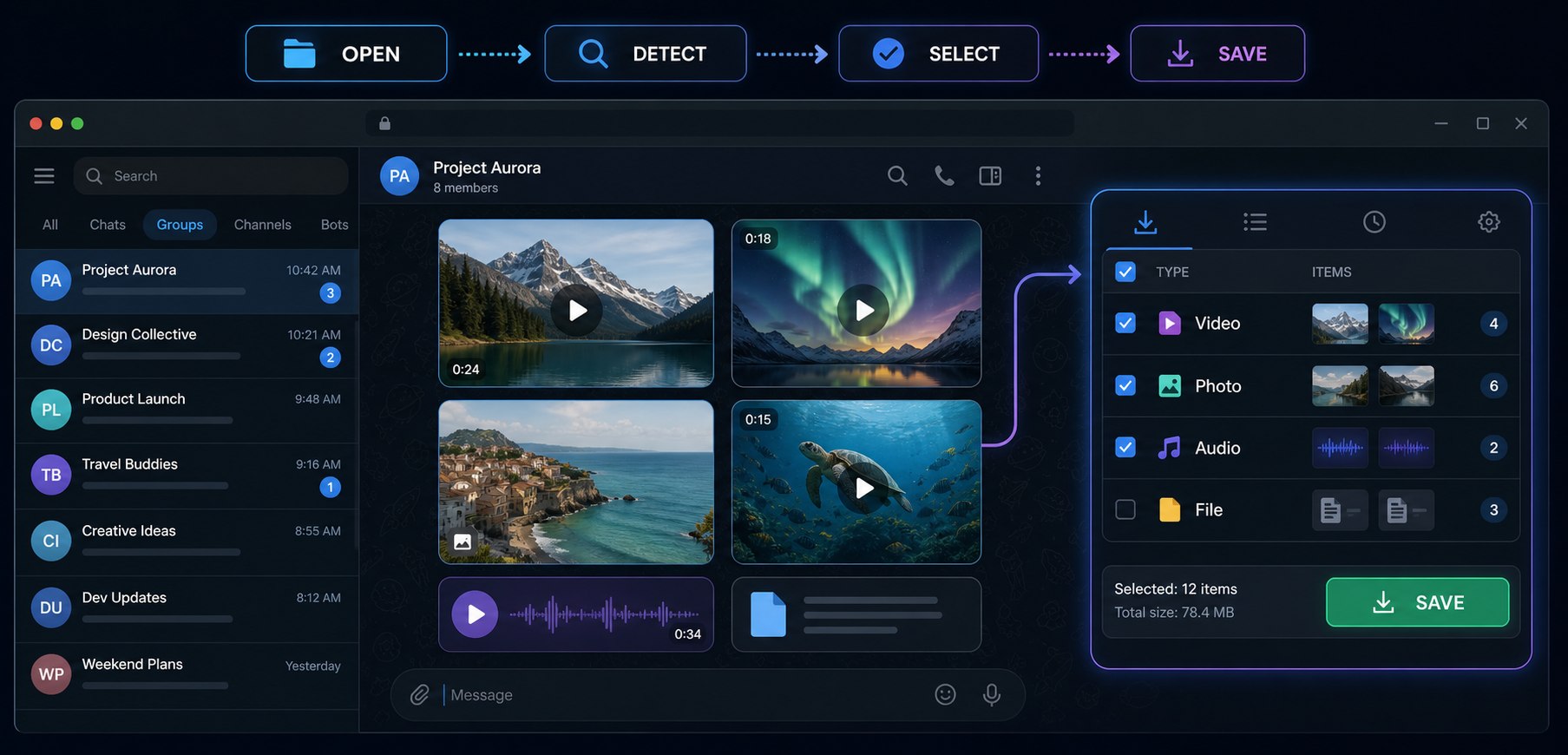
Open or play the target media first, and wait for Telegram Web to complete loading; The detectable items will have corresponding save entries.
Check the type and preview in the batch panel, select the required items and save them uniformly to reduce the need for individual operations.
The public link downloader requires replicable links; The plugin directly processes the loaded media in the currently logged in web session.
Before installation, please refer to the permission instructions and privacy policy in the browser store; No downloading tool should require your Telegram password or verification code.
| phenomenon | Check first | Still unresolved |
|---|---|---|
| No download button | Open or play media and wait for the thumbnail or player to complete loading. | Refresh Telegram Web; Confirm that the plugin is enabled and approved to run on this site. |
| Only partial files detected | Continue scrolling to the target message and have Telegram Web load the relevant media into the page. | Batch processing to avoid loading excessively long chat records at once. |
| Download interrupted | Confirm network, browser download permissions, and local disk space. | Reload the media and retry separately; The actual result depends on the source file and browser status. |
| The conversation or message has disappeared | Confirm if the current account still has access permissions. | The plugin cannot recover deleted, unloaded, or unauthorized content; Long term archiving requirements can be addressed using a history manager. |
Detects media your account can access and Telegram Web has already loaded; it does not claim to bypass access controls.
Support batch export of Telegram photos, videos, and audio files, saving time and effort.
No need to submit Telegram password to this tool; Please check the browser store permission instructions before use and comply with content authorization and copyright rules.
Search for and install the 'Telegram Video Downloader' extension in the Chrome Web Store.
Visit web.telegram.org/k and log in to your account.
Scroll through the message dialog, a 'Download' button will automatically appear below the video, click to download.


Download educational channel videos and course materials for offline learning and review.
Save photos and videos from private groups and back up precious chat records and media files.
Archive important audio files, voice messages, and documents to build a personal media library.
Save Telegram media you are authorized to use while it is available. The extension is not a complete chat archive and cannot restore deleted content.
Three ways to handle different tasks. Choosing based on content entry and long-term management needs is more accurate than simply comparing 'how many functions'.
| Plan | most suitable | Premise | Main boundaries |
|---|---|---|---|
| Online link downloader | A small amount of public media, fast downloads | There are replicable messages or media links available | Unable to process content without links or requiring loading in the current session |
| Telegram Downloader plugin | Desktop current session, batch media selection | Account logged in and able to load target media | Cannot restore deleted content or enter unauthorized sessions |
| TG History Manager | Long term local archiving, cross session search, and media management | Pre synchronize or archive data that is still accessible | Independent client, currently under development, functionality and release date subject to product page |
This extension is not associated or affiliated with the official Telegram app/website. It is an unofficial app developed and maintained by an independent developer.
We recommend users not to download copyrighted content without permission.